
SMS Verification Guide (2026): How to Receive OTP Codes Online (Countries, Apps, Troubleshooting)
In this guide, you’ll learn how OTP verification works, how to receive OTP codes online, how to choose the right country, and how to troubleshoot when the code doesn’t arrive.
What is SMS verification (OTP) and why apps require it
SMS verification is a security step where a platform sends a one-time code (often called an OTP, “one-time password”) to a phone number. You enter the OTP code to prove you control that number. Apps use this to reduce spam signups, prevent bots, and protect accounts from suspicious activity.
Common situations where apps require SMS verification:
- New account creation
- First login on a new device or location
- Password reset / account recovery
- Security checks during high-risk actions (payments, withdrawals, ads, etc.)
In 2026 and beyond, many platforms also apply risk checks based on your number type (SIM-based vs VoIP), country, and other account/device risk signals. If you want a deeper explanation, read: Why VoIP Numbers Fail SMS Verification (SIM-based vs VoIP).
Temporary vs rental numbers (quick decision)
If you only need a one-time OTP to complete signup, a temporary number is usually enough. If you may need SMS again later (re-login, recovery, frequent security checks), a rental number is safer because you keep access longer.
Full explanation here: Temporary vs Rental Phone Numbers for SMS Verification.
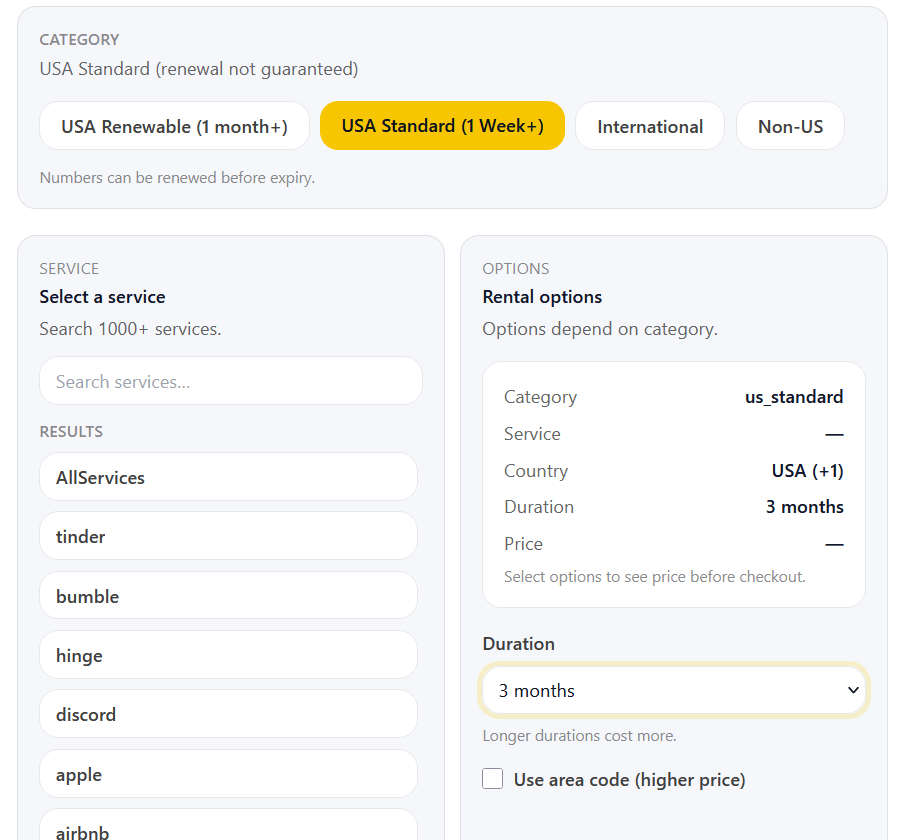
Rental numbers in the dashboard (duration, renewal, and service selection)
Rental numbers are designed for re-verification (re-login, recovery, security checks). You choose how long to keep the number (for example: 3 days, 1 week, 1 month, 3 months, or 1 year). If you still need the number, you can renew it before it expires (renewal depends on category).
WantSMS supports 1000+ services. If you want one rental number that can be used across many sites and apps, choose the AllServices option.
How to receive an OTP code online (step-by-step)
Most verification flows work the same way across apps. This is the simplest process:
- Create an account and open your WantSMS dashboard.
- Select the service/app you want to verify.
- Choose a country that matches the app requirements (or the account region).
- Request a number and enter it into the app’s verification form.
- Wait for the SMS and copy the OTP code when it appears.
- Verify immediately (many OTP codes expire quickly).
Zones inside the WantSMS dashboard (temporary numbers)
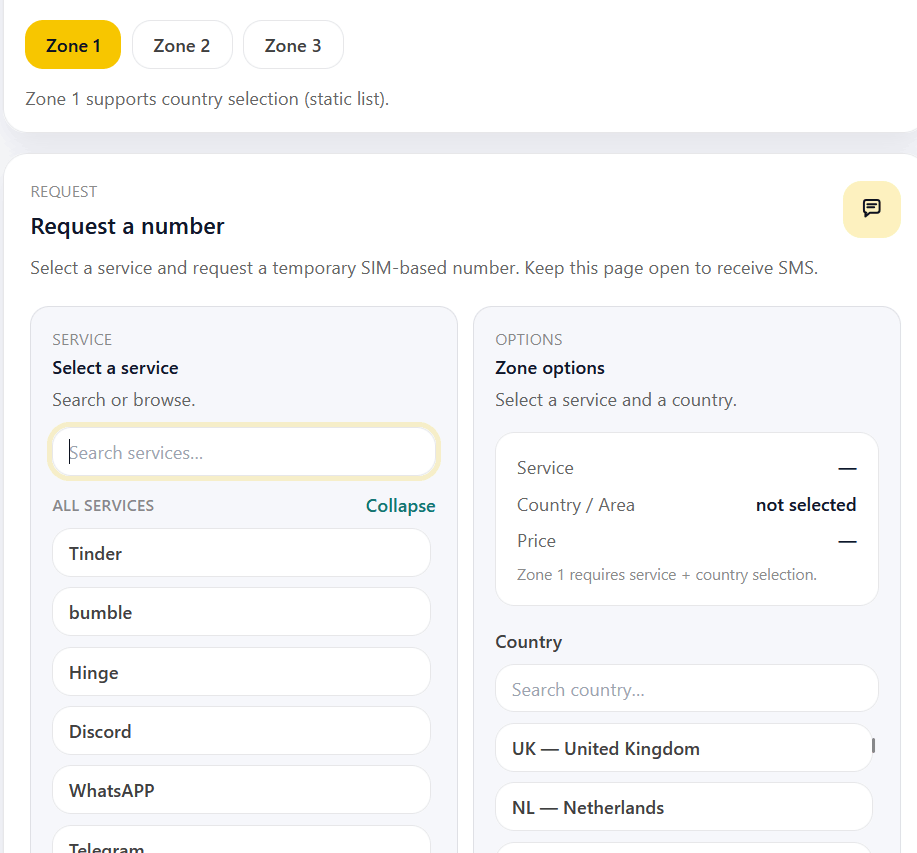
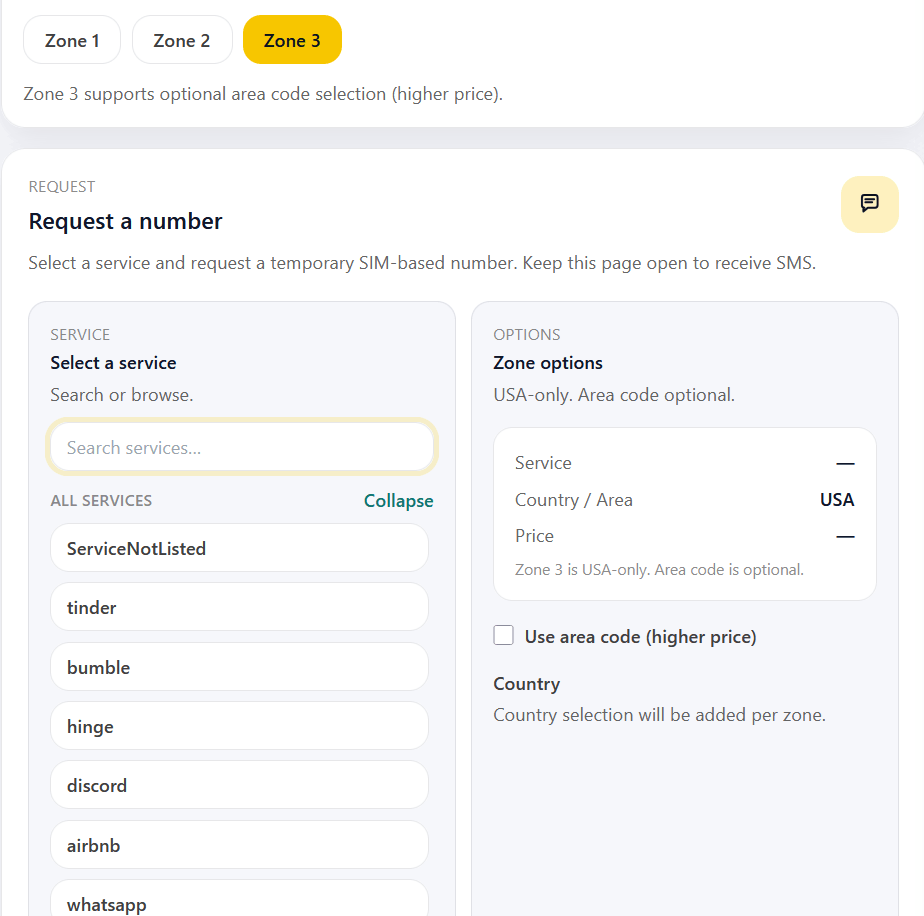
In the temporary numbers dashboard, you’ll see multiple zones (Zone 1, Zone 2, Zone 3). Each zone uses SIM-based numbers, but availability and options can differ. If verification doesn’t work in one zone, try another zone.
Important
- Avoid rapid “resend code” clicks. Many apps apply cooldowns.
- Try to complete verification in one attempt (too many attempts can trigger blocks).
- Use SIM-based numbers and match the correct country if required.
Supported apps & services (how to find your app)
WantSMS supports many verification services across multiple countries. For the most up-to-date list of supported services, countries, and pricing, visit: Pricing.
How to find your app quickly
- Search using the exact app/service name. If you don’t see it, select ServiceNotListed (available for temporary numbers).
- If your app is region-specific, select a country matching that region.
Choosing the right country number
Country selection affects both acceptance and delivery. Some platforms only accept certain countries. Others require your phone number country to match your account region.
- If the platform is region-locked: choose the country that matches your account region.
- If the platform supports multiple countries: choose the country with the best availability (and try another zone if needed).
- If you get "unsupported number": try a different country, or request a new number and try another zone.
Example of a platform that cares about region matching: Blizzard / Battle.net Phone Verification.
Common errors (and what they usually mean)
Exact wording differs by platform, but these are the common patterns:
Error → likely cause → what to try
- "Unsupported number" / "Not a valid mobile number" → number type/country blocked → try a different country or SIM-based.
- "We can’t send a code right now" → cooldown/rate limit/risk check → wait, then retry once.
- No SMS arrives → delays or throttling → wait briefly, then try a different number (or a different zone).
- "Too many attempts" → verification throttling → stop requests and wait longer before retrying.
Troubleshooting: OTP not coming / code not received
If the OTP code doesn’t arrive, work through these steps in order:
1) Wait for delivery and avoid spamming requests
Some platforms delay messages or queue delivery. If you requested multiple OTP codes quickly, you may have triggered a cooldown. Wait a few minutes before trying again.
2) Try a new number (same zone or a different zone)
Try requesting a new number in the same zone first. If it still doesn’t work, switch to a different zone and try again. Different zones can behave differently for the same service.
3) Switch countries (only if the platform allows it)
If the app accepts multiple countries, try another country. If the app enforces region matching, do not change the country randomly, match the account region.
4) Turn off VPN/proxy (or change your IP)
Some platforms block or limit SMS verification when you use a VPN, proxy, or certain datacenter IPs. If you’re using a VPN/proxy, turn it off and try again. If you can’t disable it, switch to a different location/IP. Some IP ranges are flagged and trigger stricter verification checks.
5) Try a standard browser (or reinstall the app)
Verification can fail due to browser settings, extensions, or a corrupted app state. Try using a standard browser like Chrome, Firefox, Safari, or Opera (and temporarily disable extensions/ad blockers). If you’re verifying inside a mobile app, reinstall the app and try again.
FAQs
Is SMS verification the same as OTP?
In most contexts, yes. OTP means "one-time password" and usually refers to the one-time code sent by SMS (or sometimes via an authenticator app).
What services and countries do you support?
WantSMS supports many verification services across multiple countries. For the latest supported services, countries, and pricing, see: Pricing.
Will I need the same number again?
Some services may ask for SMS verification again during re-login or account recovery. If that’s likely, rental numbers are usually the safer choice.
Can a rental number receive SMS texts from other people?
Yes, if you choose the AllServices rental option. AllServices isn’t tied to any specific app or website, so it can be used for broader SMS use cases and can receive messages from other people (for example, friends or family).
Need to receive OTP codes online?
Create an account and receive SMS verification codes through your WantSMS dashboard.